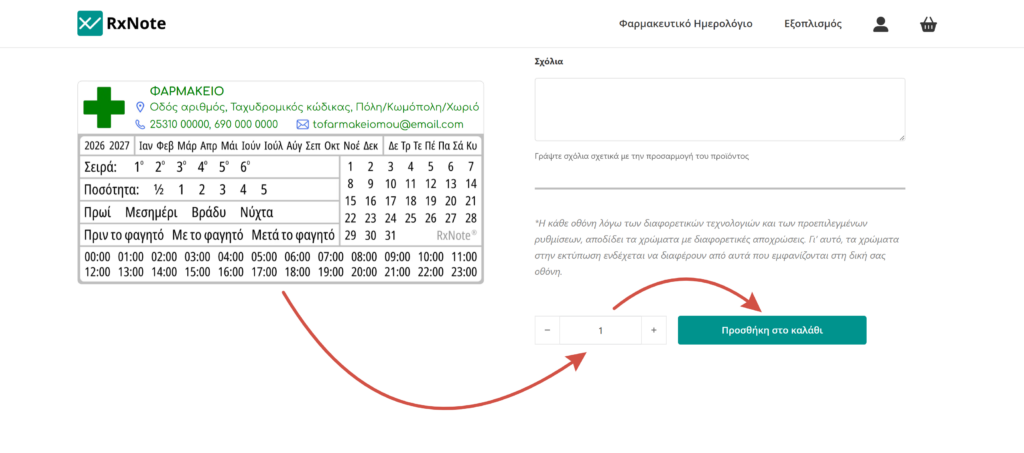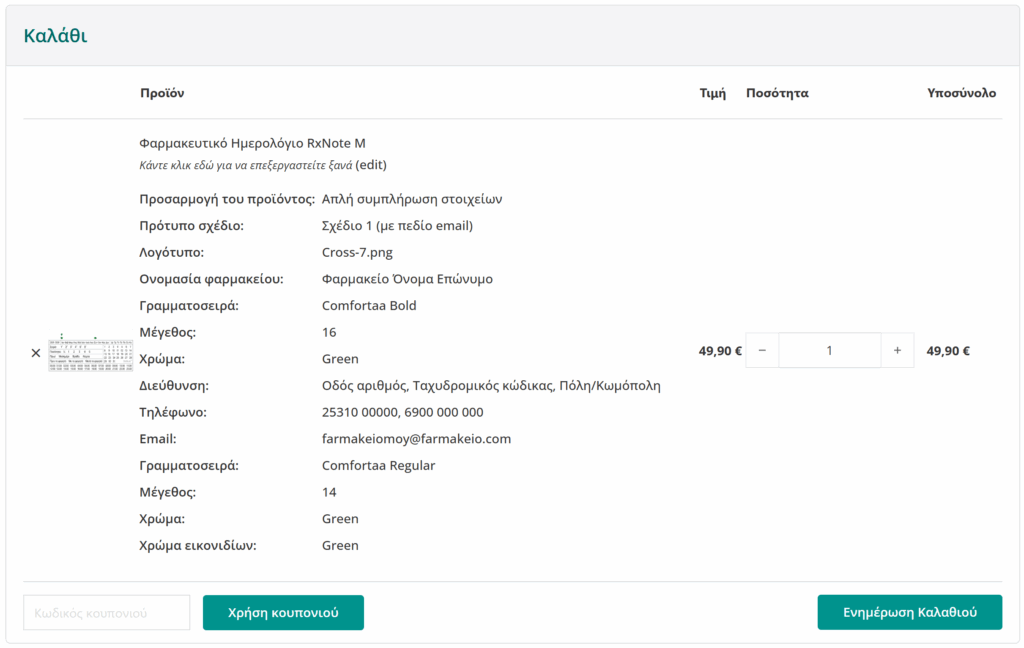
Filling in my details

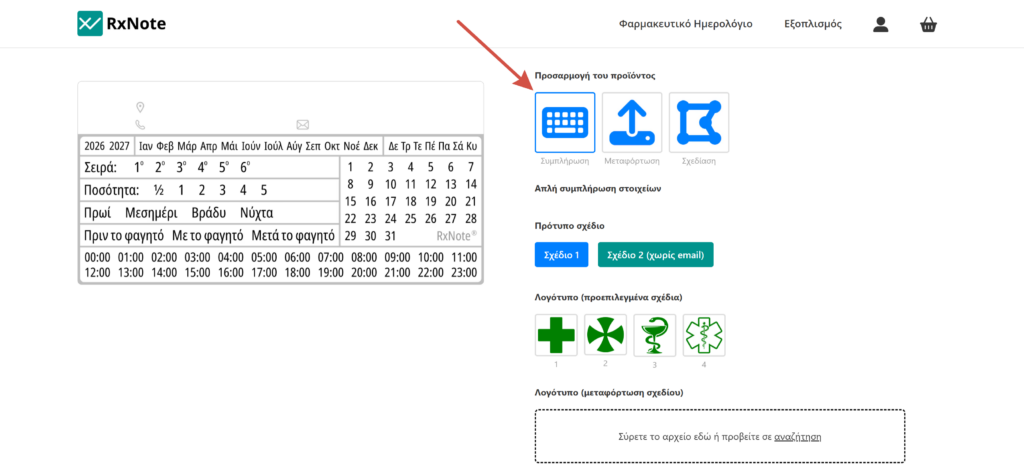
Select customization method

Simple data entry is a simple and fast way to customize the pharmacy’s details on the adhesive label with the RxNote Pharmaceutical Calendar. This customization method applies to products:

  • RxNote Pharmaceutical Calendar M
  • RxNote Pharmaceutical Calendar S

On the product page, locate the Product customization option. By clicking the arrow of the dropdown list, select Simple details entry.

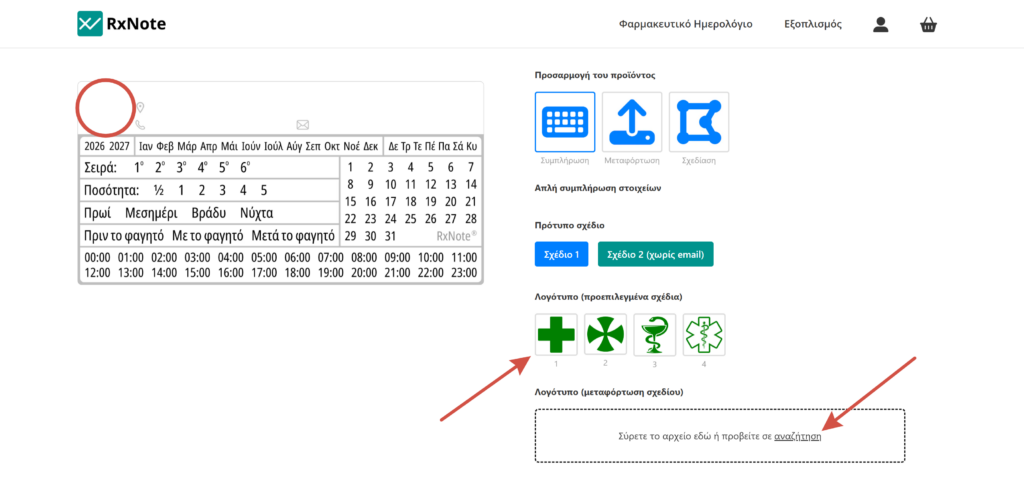
After selecting the Simple details entry customization method, a table with the following fields will unfold: Logo, Pharmacy name, Address, Phone, Email.
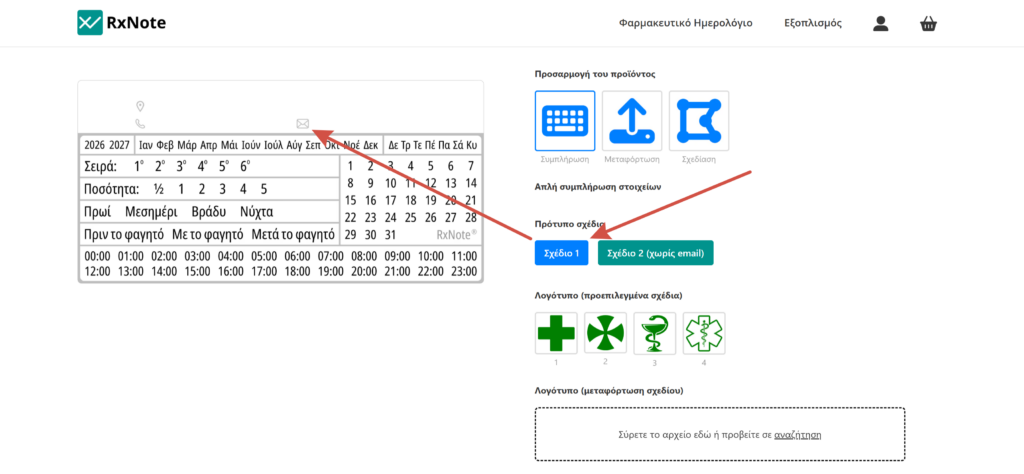
Design template

Design 1 has the Email icon, while Design 2 does not have the Email icon.

Logo

To add the logo, drag the file to the box or click browse and upload it.

The logo image file must be square, meaning with equal width and height dimensions.

The logo will appear on the left side of the sticker.

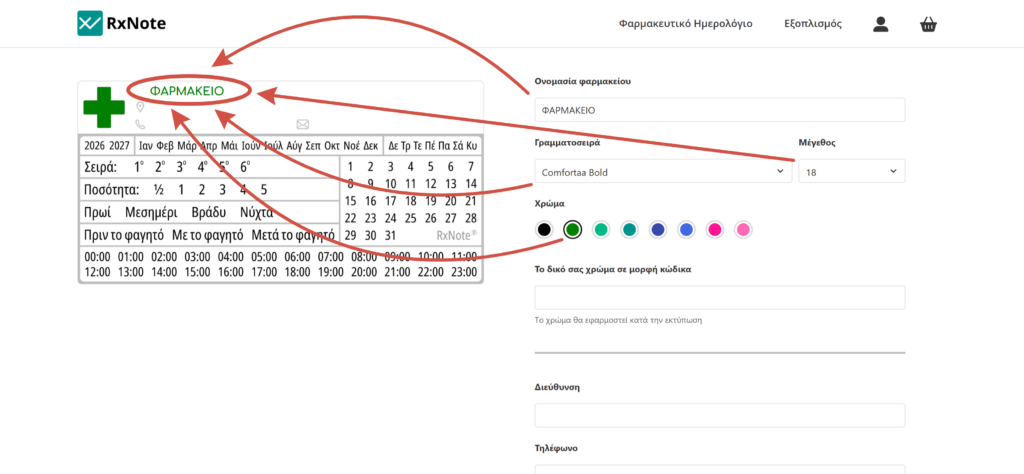
Pharmacy name

When filling in the Pharmacy Name field, the text will appear on the adhesive label.

You can then adjust the font and color of the text.

Additionally, you can add your own color in code format (HEX or RGB), which will be applied during printing.

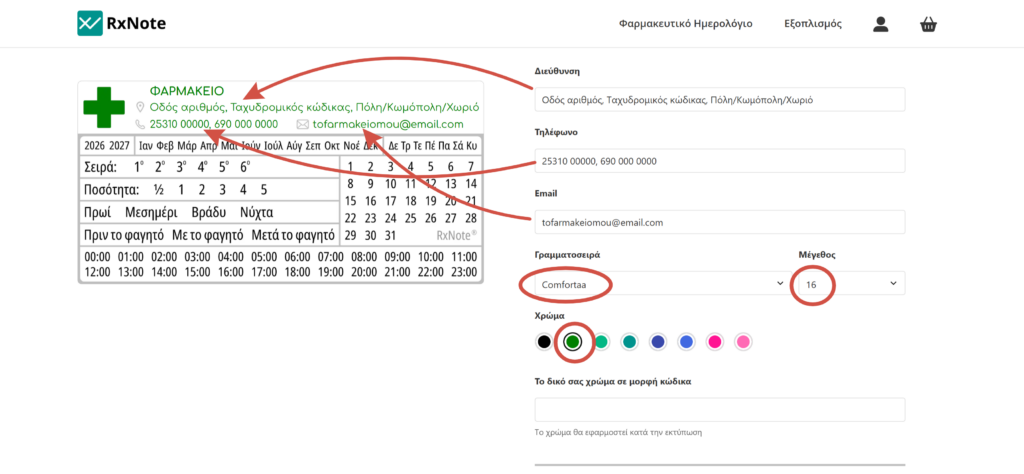
Contact information

When filling in the fields AddressPhone and Email, the text will appear on the adhesive label.

The font and color setting for the above fields is uniform.

Additionally, you can add your own color in code format (HEX or RGB), which will be applied during printing.

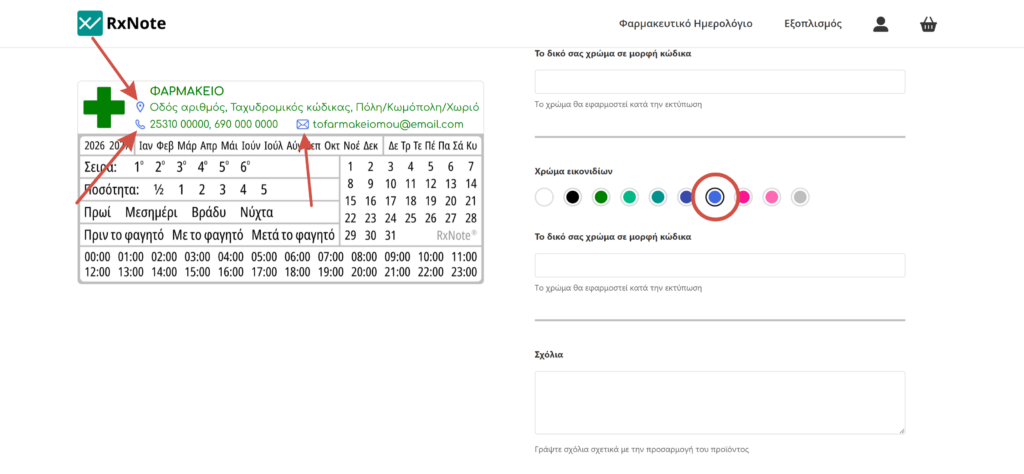
Icon color

The color of the icons can be customized according to the color of the contact details.

Additionally, you can add your own color in code format (HEX or RGB), which will be applied during printing.

Customization completion

Once the process of customizing the pharmacy’s details on the adhesive label with the RxNote Pharmaceutical Calendar is complete, this is followed by the quantity selection of the product and the Add to Cart.

Processing and printing

The product is added to the Cart with all the details you have added. After the order is completed, the customized product will be processed by our designer using special software and will be printed on the adhesive label with the RxNote Pharmaceutical Calendar.

Each screen, due to different technologies and default settings, renders colors with different shades. Therefore, the colors in print may differ from those displayed on your screen.

Pharmaceutical Calendar. Details entry 8