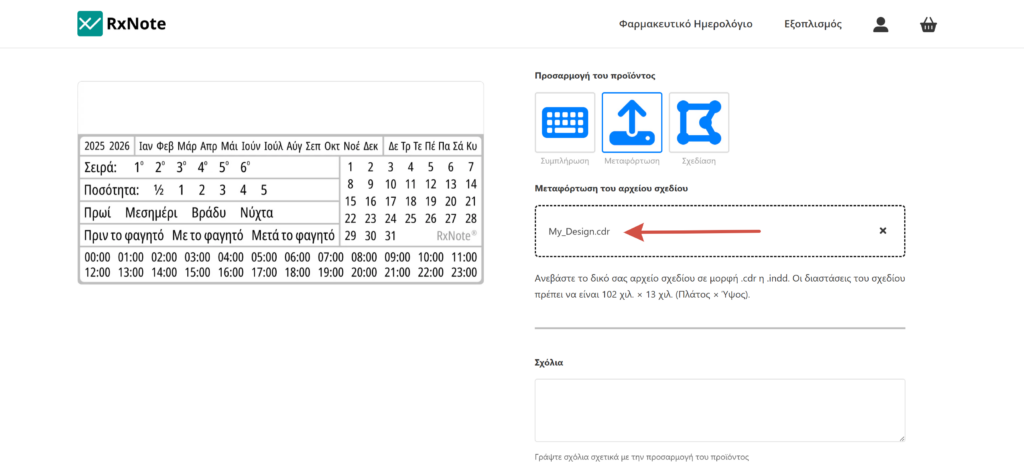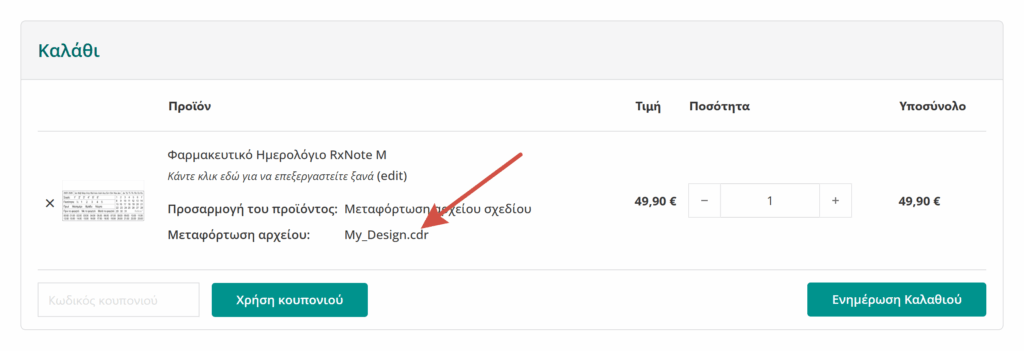
Upload my design

Select customization method

The design file upload is an effective way to customize the pharmacy’s details on the adhesive label with the RxNote Pharmaceutical Calendar.

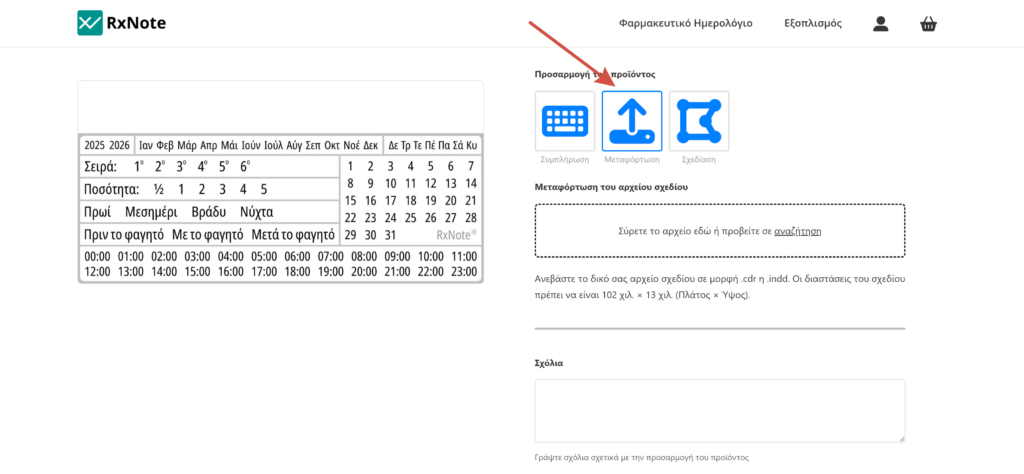
On the product page, locate the Customize product option.

Clicking the arrow in the dropdown list, select Upload design file. The upload box will then expand.
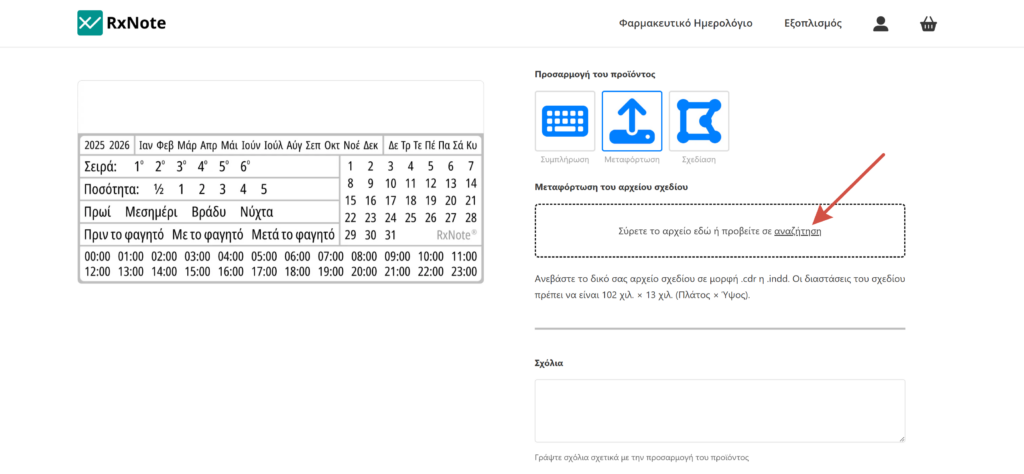
Upload file

By clicking browse, locate the file on your device and upload it. The design file must be in .cdr or .indd format.

Finalize customization

Once the upload process is complete, proceed to select the product quantity and Add to cart.

Processing and printing

The product is added to the cart with the design file you uploaded. Upon completion of the order, the customized product will be processed by our designer with specialized software and will be printed on the adhesive label with the RxNote Pharmaceutical Calendar.

Each screen renders colors with different shades due to varying technologies and default settings. Therefore, the colors in the print may differ from those displayed on your screen.