
Select customization method
Online Design Creation is a creative method for customizing pharmacy details on the adhesive label with the RxNote Pharmaceutical Calendar.
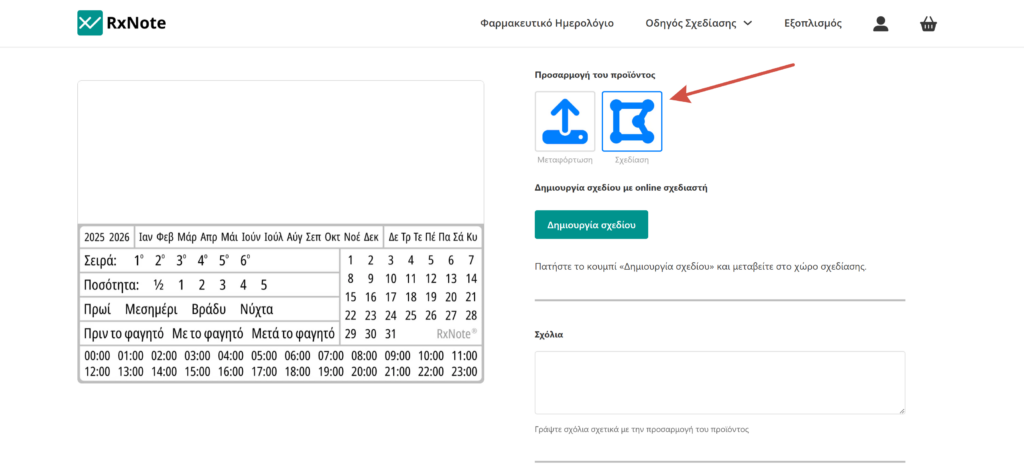
On the product page, locate the Customize product option.
Online Design Creation is a creative method for customizing pharmacy details on the adhesive label with the RxNote Pharmaceutical Calendar.
On the product page, locate the Customize product option.
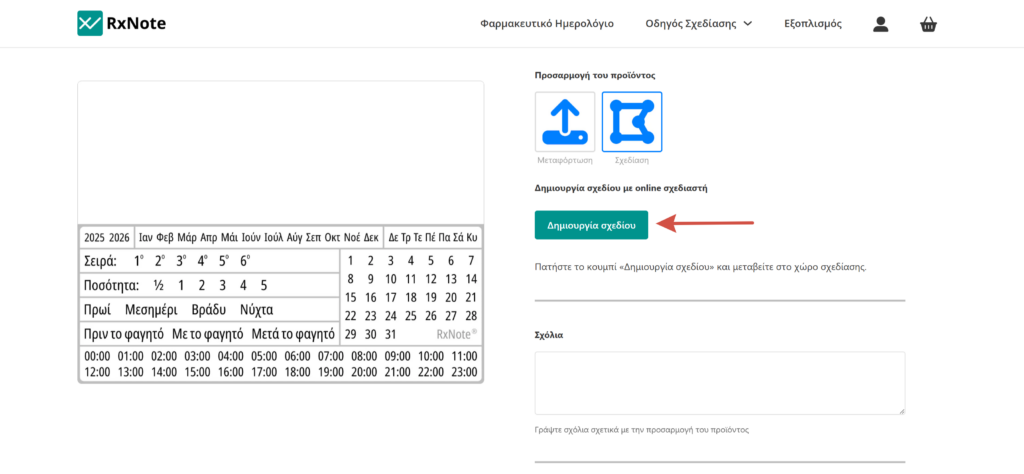
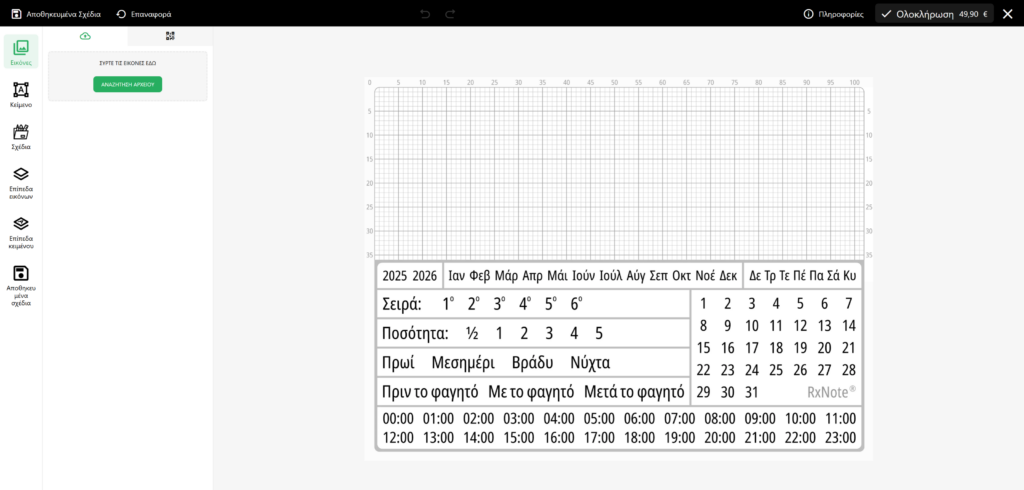
Click the Create Design button, and then the Designer window will open.
The Designer consists of:
The product is added to the cart with the design you created. Upon completion of the order, the customized product will be processed by our designer using specialized software and will be printed on the adhesive label with the RxNote Pharmaceutical Calendar.
Each screen renders colors with different shades due to varying technologies and default settings. Therefore, the colors in the print may differ from those displayed on your screen.
To provide the best experience, we use technologies such as cookies to store and/or access device information. Consenting to these technologies allows us to process personal data, such as browsing behavior or unique identifiers, on this website. Not consenting or withdrawing consent may adversely affect certain features and functions.
Your personal data will be used to process your order, support your experience throughout this website, and for other purposes described in the privacy policy.